
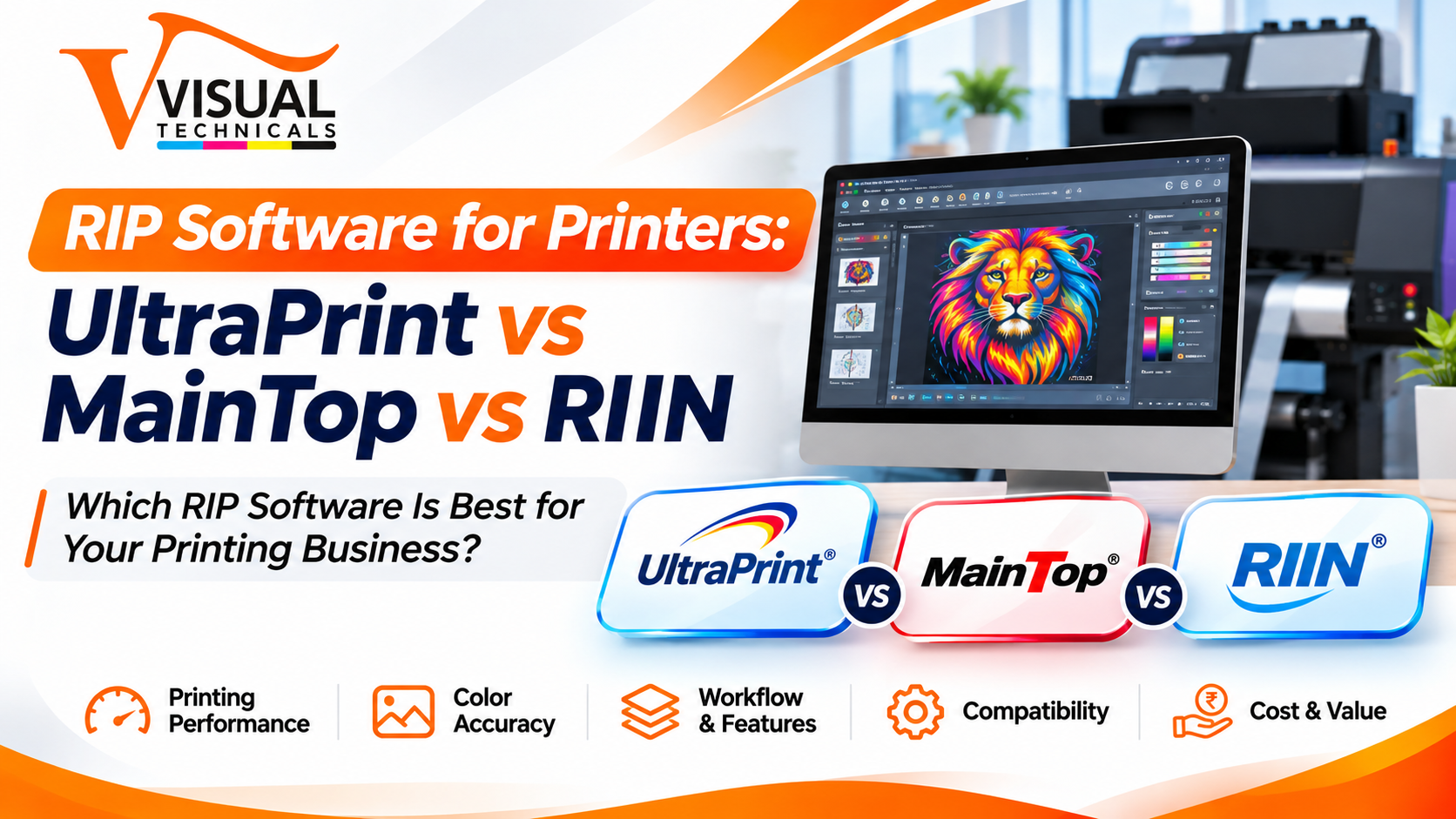
A printing machine is only as good as the software feeding it. Two identical printers can give very different results depending on the RIP software behind them, because colour accuracy, white ink handling, material waste and cutting accuracy all start there. Yet many buyers pick the machine first and think about the RIP software later, or choose one because a friend uses it.
This guide explains what RIP software does, why compatibility comes before features, and how four options we supply at Visual Technicals (UltraPrint, MainTop, RIIN and PhotoPrint) differ. The feature details come from the product page of each software. Always confirm compatibility with your exact machine before you buy.
1. What Does RIP Software Do?
RIP stands for Raster Image Processor. It converts your design file into the exact data the printer’s heads and control board use. Along the way it handles jobs that design programs are not built for:
- Colour management: applying ICC profiles and calibration so printed colour matches what you expect.
- Ink control: managing ink limits and, on DTF and UV machines, white ink and multi-layer printing.
- Layout: placing, tiling and nesting jobs to save material.
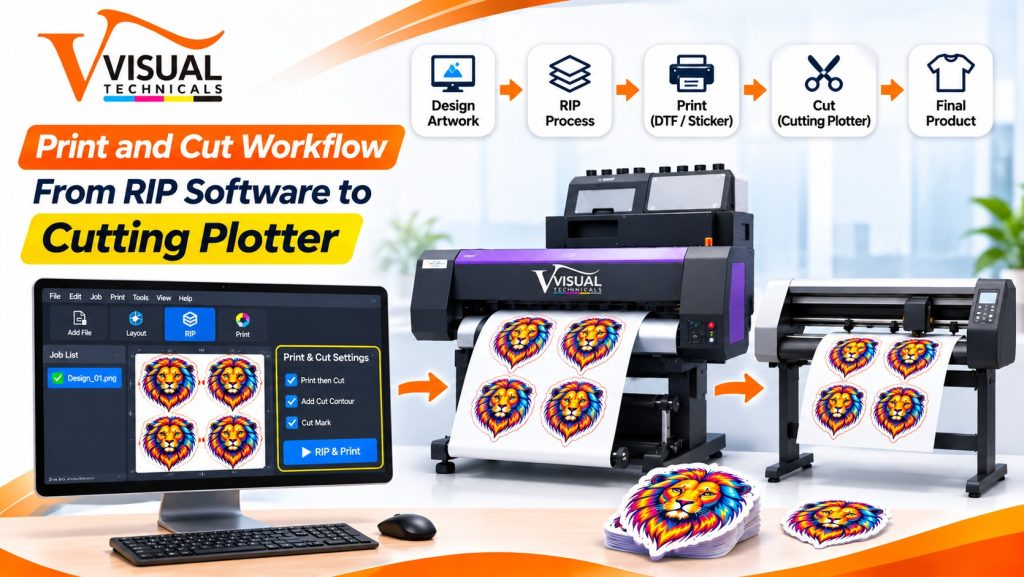
- Print and cut: passing contour information to a cutting plotter.
- Job management: queues, reports and print modes.
Your design software creates the artwork. The RIP decides how it is actually printed.
2. Check Compatibility Before Features
The costliest mistake is choosing a RIP on its feature list and finding it does not work with your machine. Check four things first:
- Printer type: solvent, eco-solvent, UV, DTF, or sublimation and textile.
- Printhead: for example Epson DX5, DX7, XP600, i3200 or 5113, Ricoh Gen5 or Konica Minolta. Each software lists the heads it supports.
- Control board: RIIN’s page, for instance, lists support for Hoson, Senyang, UMC and BYHX boards.
- Computer: RIIN and PhotoPrint list a dual-core processor with 8 GB or more of RAM, and MainTop is described as a multi-core 64-bit program. Confirm the recommended PC for your machine.
A feature that looks perfect on paper is useless if your head and board combination is not supported. Ask us to confirm the pairing for the exact machine you plan to buy.
3. UltraPrint, MainTop, RIIN and PhotoPrint Compared
The table summarises what each product page states. Treat it as a starting point, not a substitute for a compatibility check.
| Software | Best known for | Printer types listed | Printheads listed |
| UltraPrint | High-speed RIPing, print management, colour calibration | Eco-solvent, solvent, sublimation, UV, DTF, textile | DX5, DX7, XP600, i3200 or 5113 for eco-solvent; industrial-grade solvent printers |
| MainTop (V6.0 Professional) | Colour management, integrated RIP and cut, textile tools | Eco-solvent, solvent, UV, DTF, textile, sublimation, large-format | DX5, DX7, XP600, i3200, 5113, Ricoh Gen5, Konica Minolta and others |
| RIIN (Hosonsoft) | White ink modes, multi-layer printing, ink screening | Eco-solvent, UV, DTF, textile, hybrid | DX5, DX7, XP600, i3200, 5113, Ricoh Gen5 and other industrial heads |
| PhotoPrint (SAi) | Print-and-cut, layout and nesting, job reporting | Eco-solvent, solvent, UV, DTF, textile, sublimation, large-format | DX5, DX7, XP600, i3200 for eco-solvent; a wide range of inkjet printers |
UltraPrint
UltraPrint RIP software is a high-speed RIP for both monochrome and full-colour output, built around fast processing, print management and colour calibration. Its page lists support across eco-solvent, solvent, sublimation, UV, DTF and textile machines, and it uses a USB dongle for software protection. Many people search for it as ‘Ultra Print’. It suits shops that want a straightforward, fast RIP across several printer types.
MainTop
MainTop RIP software (version 6.0 Professional on our page) is a multi-core 64-bit RIP with advanced colour management and wide file support, including JPG, TIFF, EPS, PS and PDF. Its standout tools are cutting features (cross positioning, a dot locator and automatic contour seeking for integrated RIP and cut) and textile support such as continuous, gapless copying of a single image. It also lists Konica Minolta printheads, which matters for solvent flex machines.
RIIN
RIIN RIP software, developed by Hosonsoft, is the one to look at first for white ink work. It offers several white ink modes, multi-layer printing, ink screening for thicker, textured white layers, single-colour tracing, built-in barcode printing and one-click switching between print modes. Our page describes it as ideal for UV DTF and eco-solvent roll printing, and it is widely used with DTF machines.
PhotoPrint
SAi PhotoPrint, from SA International, is favoured for print-and-cut work because it integrates closely with cutting plotters. It adds layout tools for tiling, nesting and previewing to cut waste, plus colour management, job reporting on printer and media usage, and cloud integration. If you cut after printing, see our cutting plotters.
We also list ONYX, Neostampa and Colorgate in our RIP menu. Ask us if you need one of those.
4. Which RIP Fits Which Workflow?
These are pointers based on listed features. The right choice depends on your machine, board and workflow.
- DTF and UV DTF: White ink handling matters most. RIIN’s white ink modes and multi-layer printing are designed for it, although UltraPrint, MainTop and PhotoPrint also list DTF support. For machine choice, read our DTF printing machine buying guide and the UV DTF vs traditional printing guide.
- Solvent flex banners: Check printhead support first. MainTop lists Konica Minolta heads, and UltraPrint lists industrial-grade solvent printers. Confirm the match for your Konica machine. Our solvent printer guide explains the machine side.
- Eco-solvent vinyl with print-and-cut: MainTop’s integrated cutting tools or PhotoPrint’s print-and-cut workflow and nesting are the natural candidates.
- UV flatbed: Multi-layer and white ink modes matter when you print white or special layers. Confirm which effects each RIP supports for your machine.
- Textile and sublimation: MainTop lists gapless copying for textiles, and UltraPrint and RIIN also list textile support.
Whichever you shortlist, test it on your own artwork before you commit.
5. Licensing, Dongles and Setup
UltraPrint uses a USB dongle for software protection. Ask about licensing terms for any RIP you consider: whether the licence is tied to one machine, how upgrades work and what happens if a dongle is lost.
For a stable setup:
- Use a computer that meets the software’s recommended specification, with enough RAM for your largest files.
- Install the drivers and board settings exactly as your machine supplier specifies.
- Back up your settings and ICC profiles after calibration.
- Keep a record of the profile you use for each media and ink combination.
- Get your operators trained, not just the owner.
6. Why Genuine Licensed Software Matters
Some buyers search for free downloads or cracked copies to save money. It is a false economy. Unofficial copies can carry malware, crash mid-job, fail to match your board or head, and come with no support or profiles. A crash halfway through a long job can waste more material than a licence costs. Buying through an authorised supplier gets you the right version for your hardware, help with installation and calibration, and someone to call when something goes wrong.
7. Common RIP-Related Problems and What to Check
| Problem | Possible causes | What to check |
| Colours differ from the screen | Missing or wrong ICC profile, wrong media setting, no calibration | Profile for that media and ink, print mode, calibration |
| White layer missing or misaligned (DTF, UV) | Wrong layer or white ink mode, file set-up | White ink mode, layer order, a small test print |
| Software does not detect the printer or dongle | Board mismatch, drivers, USB or dongle connection | Board compatibility, drivers, dongle connection |
| Slow RIPing or freezing | Large files, low RAM, very high resolution | PC specification, file size, resolution settings |
| Cut line is off in print-and-cut | Registration or sensor settings, media shift | Cut registration, calibration, a test cut |
| Banding or streaks | Often hardware: nozzles, head or ink, not the RIP | Nozzle check and head cleaning first |
Before blaming the software, rule out the printhead. Our Konica 512i printhead maintenance guide covers the checks.
8. How to Choose the Right RIP Software
- Write down your machine details: printer type, printhead model and control board.
- List your main workflows: white ink, print-and-cut, textile, large flex jobs.
- Shortlist two RIPs that list your head and workflow.
- Ask for a demo or test on your own files.
- Confirm licensing, PC requirements, ICC profiles and training.
- Check support: who helps you if the software misbehaves?
If you are still choosing the machine itself, start with our DTF printers or tell us your workflow and we will suggest a pairing.
9. FAQs
1. What is RIP software? RIP software converts your design into printer-ready data and manages colour, ink, white layers, layout and cutting information. Your design software creates the artwork; the RIP controls how it prints.
2. Which RIP software is best for DTF printers? There is no single best. RIIN is built around white ink modes and multi-layer printing, and UltraPrint, MainTop and PhotoPrint also list DTF support. Match it to your head and board.
3. Can one RIP software run any printer? No. The RIP must support your printer type, printhead and control board. Always confirm the pairing before buying.
4. Which RIP is good for print and cut? MainTop lists integrated cutting tools such as automatic contour seeking, and PhotoPrint is favoured for print-and-cut with cutting plotters. Check compatibility with your plotter.
5. What computer do I need? RIIN and PhotoPrint pages list a dual-core processor with 8 GB or more of RAM, and MainTop is a multi-core 64-bit program. Confirm the recommended specification for your machine.
6. Does UltraPrint need a dongle? Our UltraPrint page lists a USB dongle for software protection. Ask about licensing terms for the other software.
7. Are ICC colour profiles included? Visual Technicals states that its machines come with pre-calibrated ICC profiles used with UltraPrint, MainTop and PhotoPrint. Confirm what is included with your model.
8. Is it safe to download RIP software from free sites? No. Unofficial copies risk malware, instability, mismatched versions and no support. Buy licensed software through an authorised supplier.
Need Help Choosing RIP Software for Your Machine?
Tell us your printer type, printhead and workflow, and our team will confirm which RIP software fits and arrange a demo. Call +91-9319803730, email sales@visualtechnicals.com, or request a quotation.

